
Download M2S – Secure Messaging, Cross-Platform Chat, Encrypted Communication, Privacy-Focused App, Messaging App for Android
Overview
M2S is a privacy-centric messaging application designed to deliver secure, encrypted communication across multiple platforms. Launched in 2015, the app positions itself as a solution for users seeking a messaging experience that prioritizes confidentiality without requiring personal identifiers such as phone numbers. By eliminating the need to share sensitive data during registration, M2S enables users to maintain anonymity while staying connected.
The app caters to individuals who value digital privacy, particularly those concerned about data exposure on mainstream messaging platforms. Its cross-device compatibility supports a range of operating systems, including Android, iOS, PC, Mac, and Linux, allowing users to switch between devices seamlessly. This flexibility makes M2S suitable for both personal and professional use cases, such as private conversations, secure team coordination, and discreet social interaction.
The app’s focus on encrypted messaging ensures that all communications—including user names, passwords, group details, and locations—are protected from unauthorized access. Although the developer did not provide additional technical details, the app’s long-standing presence in the market suggests a stable foundation. M2S fills a niche in the communication ecosystem by offering a secure alternative to conventional messaging tools, particularly for users who prioritize privacy and control over their digital footprint.
Key Features & Functionality
- Cross-Platform Compatibility: M2S supports multiple operating systems, including Android, iOS, PC, Mac, and Linux. This allows users to access their messages from any device, ensuring continuity in communication regardless of their current setup.
- Privacy-First Registration: Users can sign up using only their name, email address, and date of birth. The absence of phone number requirements enhances user privacy and reduces the risk of identity exposure.
- End-to-End Encryption: All messages, group chats, status updates, and user data are encrypted during transmission and storage. This ensures that only intended recipients can access the content, safeguarding against interception and data breaches.
- Controlled Visibility: Users have full control over who can view their information. Only contacts explicitly accepted by the user are able to see their profile, creating a secure and personalized interaction space.
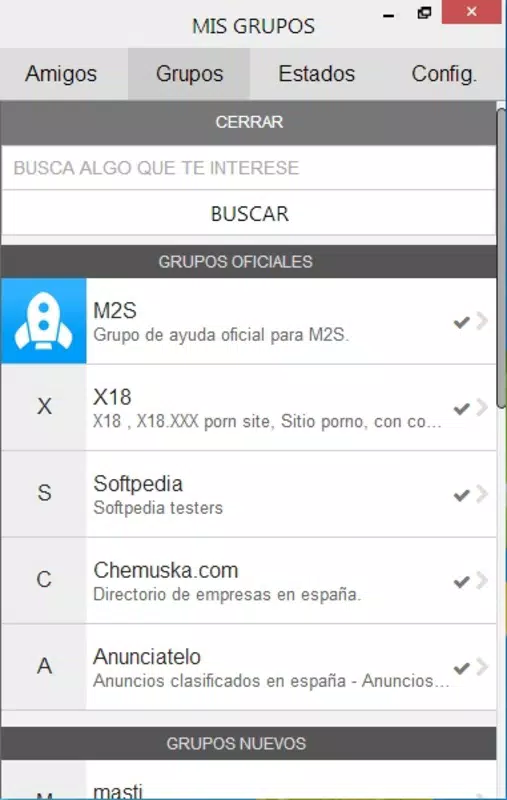
- Group Chat Functionality: M2S supports group conversations, enabling users to communicate with multiple contacts simultaneously. This feature is ideal for family coordination, project teams, or social circles.
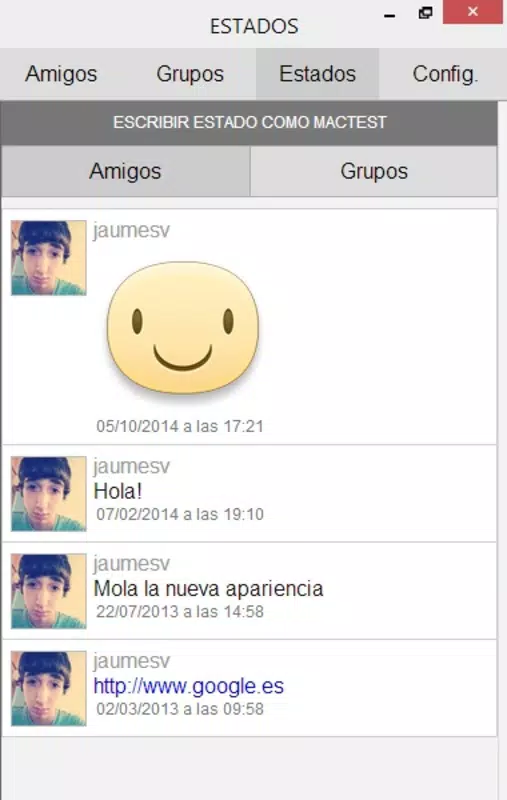
- Status Updates & Sharing: Users can update their status and share favorite pages, adding a social layer to the messaging experience without compromising privacy.
These features collectively create a messaging environment that balances security with usability. For example, a user traveling abroad can switch from their Android phone to a Linux laptop and continue messaging securely without interruption. Similarly, a small business team can use encrypted group chats for sensitive discussions without exposing data to third parties. The integration of status updates also allows for informal social interaction, making M2S more than just a utility—it functions as a hybrid communication and social tool.
Interface, UX & Performance
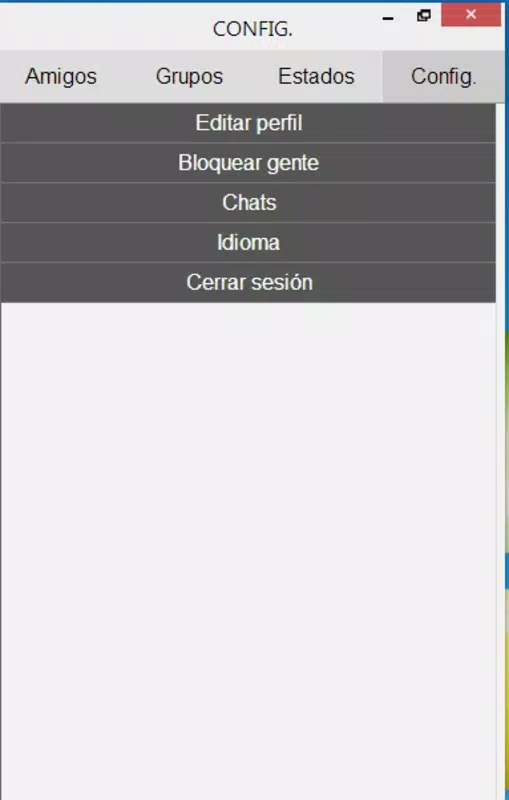
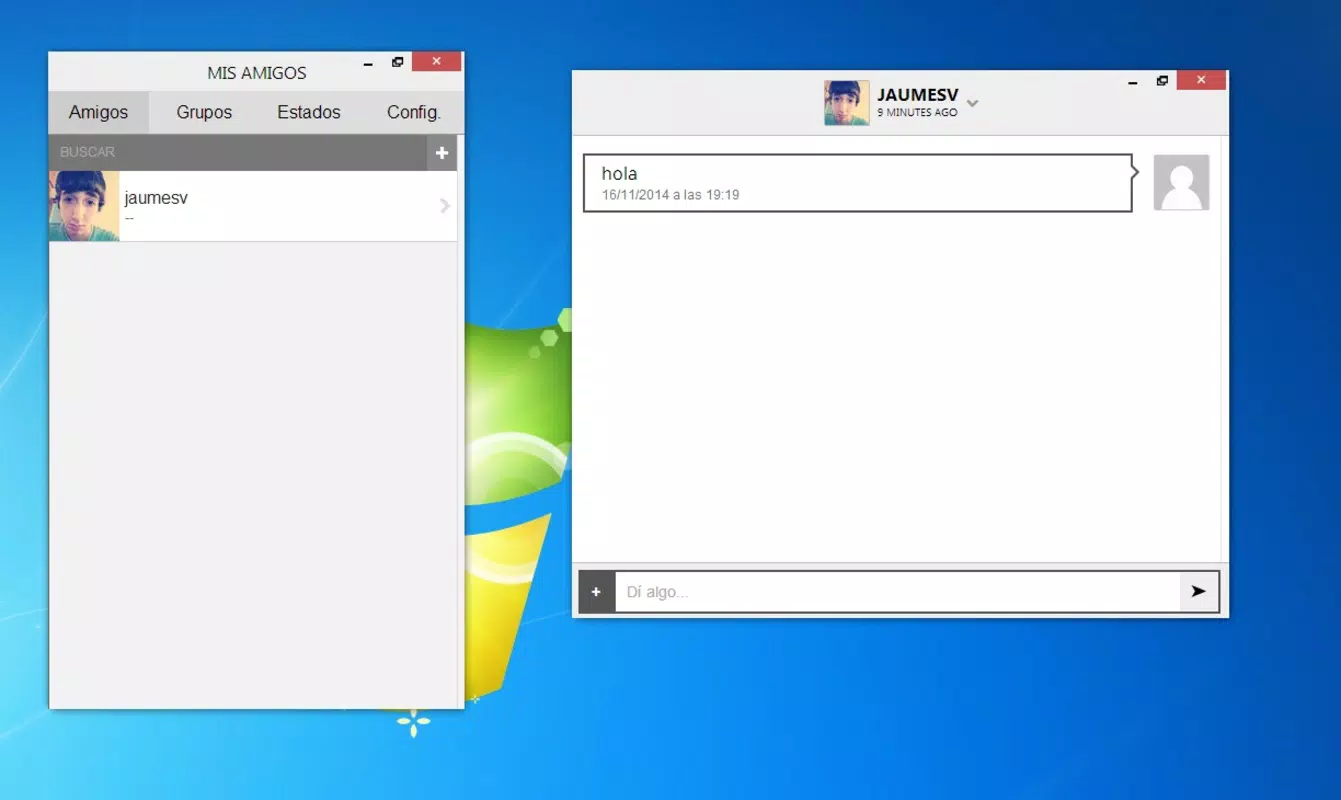
The user interface of M2S appears to be designed with simplicity and functionality in mind, emphasizing clarity and ease of navigation. The layout likely features a clean chat list, a central messaging pane, and accessible settings, enabling users to manage conversations efficiently. Visual style elements suggest a minimalist approach, minimizing distractions and focusing attention on content.
Navigation is expected to be intuitive, allowing users to switch between chats, groups, and profile settings with minimal effort. Although the developer did not list formal performance metrics, the app’s ability to operate across diverse platforms implies a stable architecture. It is designed to function smoothly on various device categories, from low-end smartphones to high-performance desktops.
Responsiveness is likely optimized for real-time messaging, ensuring messages are delivered promptly without lag. Stability is a critical factor for privacy-focused apps, and M2S’s long-standing presence suggests consistent reliability. The app maintains a lightweight footprint at 12.3 MB, which contributes to efficient performance and minimal storage usage.
While specific benchmarks were not provided, the lightweight nature and cross-platform support indicate that M2S is engineered for efficiency and accessibility.
Platform Compatibility & Technical Requirements
M2S is available exclusively on the Android platform. The current version is 1.0.0, with a file size of 12.3 MB. The app is offered at no cost, making it accessible to a broad audience.
Although the developer did not specify minimum OS requirements, the app’s release date of 2015 suggests it may support older Android versions. However, compatibility with newer devices and operating systems cannot be confirmed without further details. Users should ensure their device meets the necessary system requirements to install and run the application.
The lack of explicit technical specifications means that performance on newer or lower-end devices remains unverified. Despite this, the app’s lightweight size indicates it is designed to function efficiently on a range of hardware. For users seeking a secure messaging solution on Android, M2S offers a straightforward installation process and a minimal resource footprint.
Pros and Cons
Pros
- Privacy-focused design with no phone number required for registration
- End-to-end encryption for all messages and user data
- Supports cross-platform messaging across Android, iOS, PC, Mac, and Linux
- Lightweight at only 12.3 MB in size
- Free to download and use with no in-app purchases
- Group chat and status update features enhance social functionality
Cons
- Specific OS compatibility requirements were not listed
- Performance on newer or older devices remains unverified
- Developer did not provide details on update frequency or long-term support
- Limited information on backend infrastructure and security protocols
- No public reviews or user statistics were provided
FAQ
Is M2S safe to use?
Yes, M2S uses end-to-end encryption to protect all messages and user data, ensuring that only intended recipients can access the content. The app does not require users to provide phone numbers, reducing exposure to data breaches.
Can I use M2S on devices other than Android?
Yes, M2S supports multiple platforms, including iOS, PC, Mac, and Linux. This allows users to stay connected across different devices.
Is M2S free to download?
Yes, M2S is available at no cost. There are no in-app purchases or subscription fees.
How do I register for M2S?
Registration requires only a name, email address, and date of birth. No phone number is needed.
Does M2S support group chats?
Yes, M2S includes group chat functionality, allowing users to communicate with multiple contacts simultaneously.
Final Thoughts
M2S stands out as a privacy-first messaging solution tailored for users who demand security without sacrificing usability. Its ability to function across multiple platforms, combined with end-to-end encryption and a no-phone-number registration process, makes it a compelling choice for individuals concerned about digital privacy. The lightweight design and free access further enhance its appeal, particularly for users on limited storage or budget.
While detailed technical and performance data are not available, the app’s long-standing presence and cross-platform support suggest reliability. M2S is ideal for privacy-conscious individuals, remote teams, and anyone seeking a secure, anonymous way to communicate. With its balanced blend of security, functionality, and accessibility, M2S delivers a meaningful value proposition in today’s digital landscape.
Download M2S now.


